The platform
One platform. Four connected experiences.
Management, teachers, students and parents each get their own app — talking to one backend, one database, one source of truth. Here's exactly what each role sees and does.
Management · analytics
Attendance and results, per class
Teacher · AI grading
Q1.1 · shielding by inner shells1.0 / 1.0 · matched referenceParent · transport
Route 04 · on the way
Interface, illustrated · sample values
01 / Admin console · web
Management
See the whole school, live.
The console the principal, director and office actually run the institution from — attendance, results and syllabus coverage across every class, with people, seats and billing in the same place.
Fee desk
₹20,000
collected today
₹3,000
dues
Enquiry pipeline
Substitution
Period 3 · Class 10-B uncovered
Audit log
admin · exported fee ledgerlogged · 10:42Interface, illustrated · sample values
Every screen in Management — all 29, and what each one does
- Overview & Analytics
- Attendance, results, syllabus coverage and teacher activity across every campus, with the drill-down to the class and student behind each figure.
- People & Students
- Staff with roles and seat usage, one-time passwords and deactivation. Student provisioning with roll numbers, and one parent setup link covering every child in a family.
- Admissions
- Enquiry board with source, owner and follow-up; a document checklist ticked off as each arrives; then admit and issue an admission number.
- Fees
- Structures per year and class, a collection desk with receipts and cheque numbers, dues bucketed by age, and concessions against a written reason.
- Staff, HR & Payroll
- Directory, staff attendance, leave approvals and substitution cover. Effective-dated salary structures, monthly runs approved as drafts, reversible with a reason.
- Transport, Library, Hostel
- Fleet with fitness, insurance and PUC expiry alerts; a catalogue with accession numbers and an issue desk; blocks, beds and a dated roll call.
- Inventory & Front office
- Stock with reorder levels and a movement ledger; a visitor book showing who is still in the building, gate passes and complaints.
- System
- Custom roles, a full audit log, SSO and SCIM provisioning, data export and erasure, billing and white-label branding.
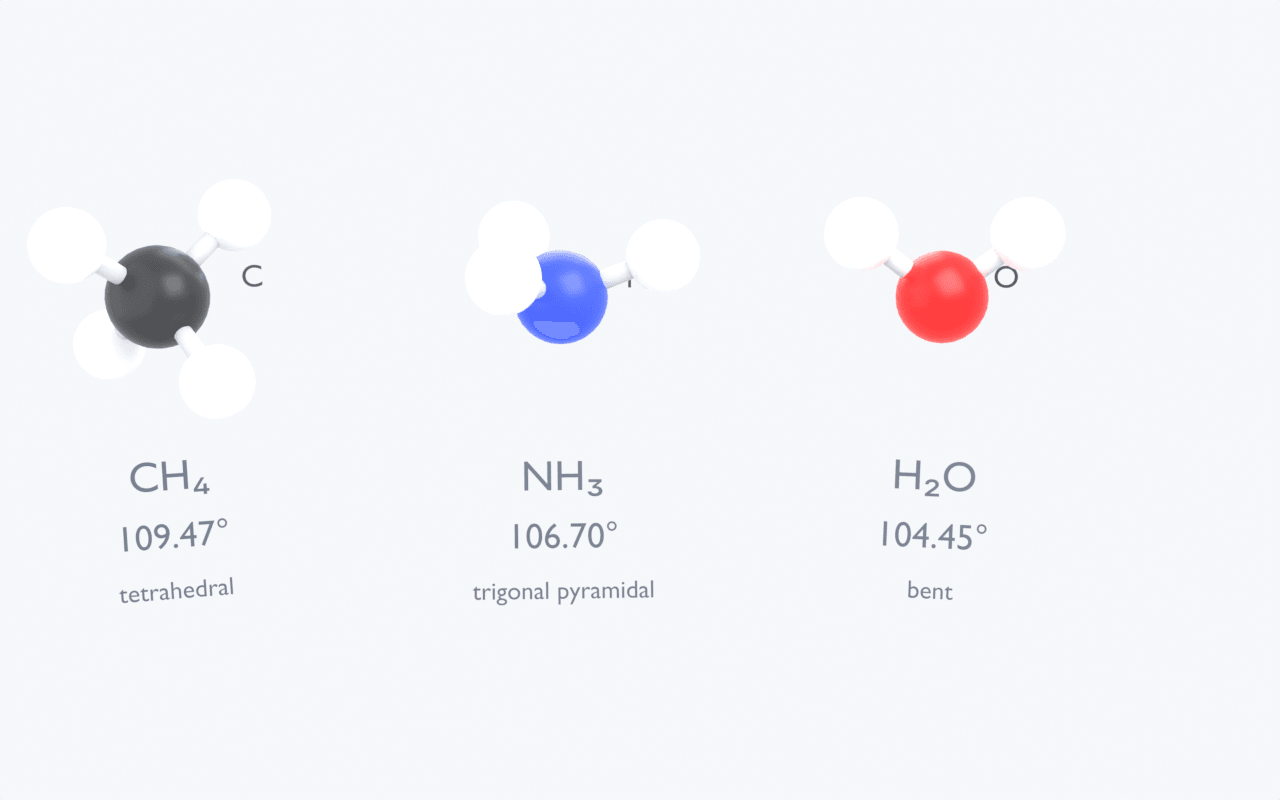
Modelled, not illustrated. Why water bends and methane does not — answered on screen.
Class 11 · Chemical BondingSee all four, live.
Book a 20-minute demo and we'll walk every role through live — Management, Teacher, Student and Parent.